Skip to content

System updates
Keep Cyclop OS updated and secure
Regular updates bring performance improvements, security fixes, and new features. Here is how to keep Cyclop OS current, automatically or manually.
Automatic updates (recommended)
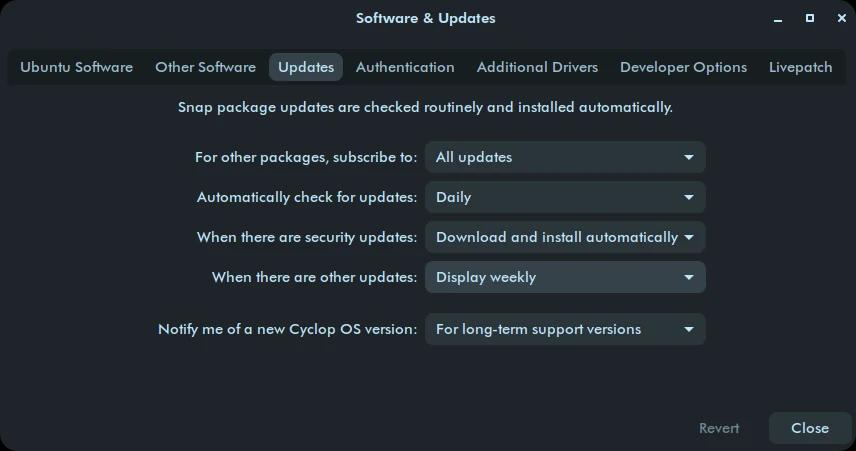
Cyclop OS notifies you when new updates are available, including security patches, system improvements, and software upgrades. To keep everything current:
- Open Software & Updates from the Cyclop Menu.
- Go to the Updates tab.
- Set Security Updates and Other Updates to Immediately.
- Make sure Check for updates is set to Daily.
- If prompted, click Update Now to install available updates.
Manual update (graphical)
If automatic updates are disabled or you prefer to update manually:
- Open the Software Updater from the Cyclop Menu.
- The system checks for available updates.
- If updates are found, click Install Updates.
- Wait for it to finish, then restart if required.
Update from the terminal (advanced)
For experienced users, the terminal is the fastest way to update. Open a terminal and run:
sudo apt update && sudo apt upgrade -yThis fetches the latest package lists and installs all available updates. To clean up unnecessary files afterwards, run:
sudo apt autoremove && sudo apt cleanA quick restart after major updates makes sure new kernels and drivers are loaded correctly.

© 2026 Cyclop Technologies. All rights reserved.