Customization
Make it yours.
Cyclop OS does not ask you to get used to it. The desktop layout, the theme, the fonts and the taskbar all move.
Where everything is
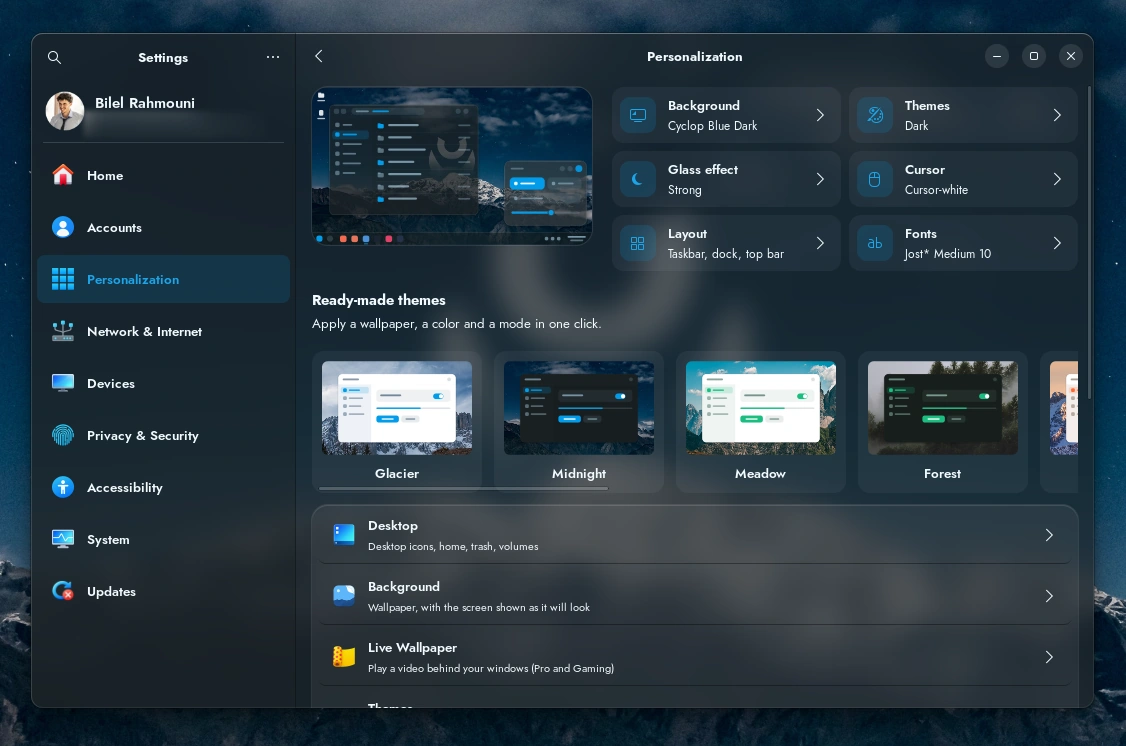
Settings, then Personalization. Every panel below lives there.
Change the desktop layout
Four layouts, and they change where things are rather than how they look: the menu, the taskbar, the dock.
Pick the one that matches the habits you already have. Someone coming from another system usually wants the taskbar at the bottom; someone coming from a Mac usually wants the dock.
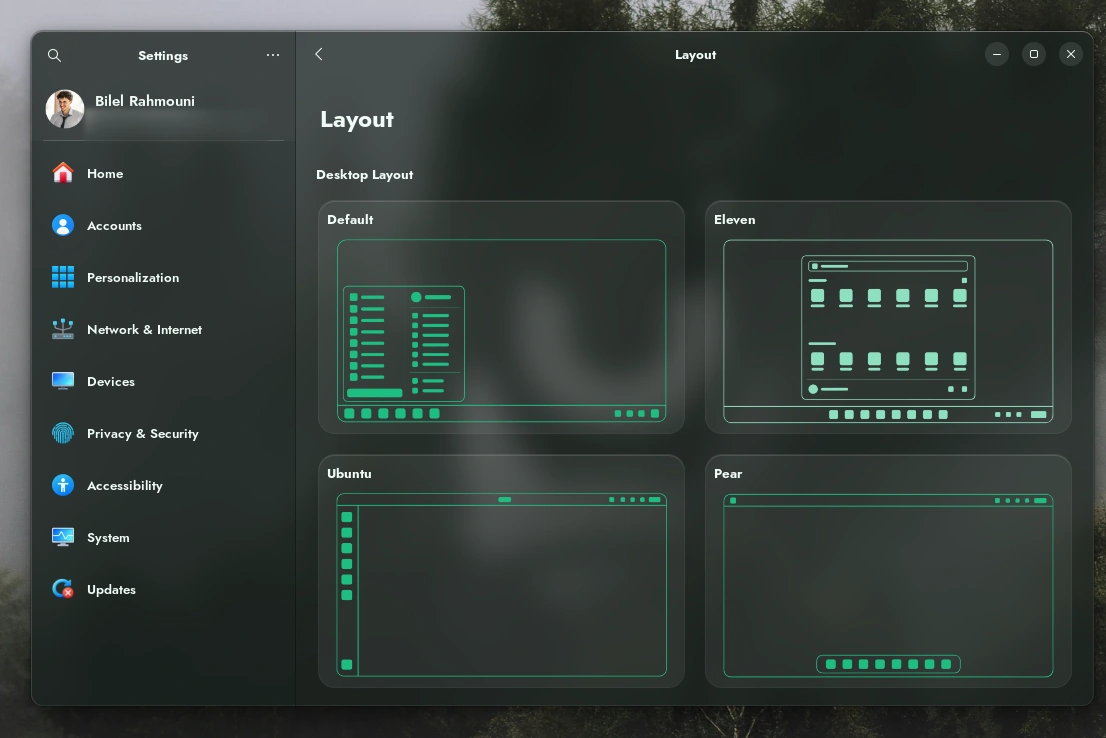
Switching is instant and reversible.
Dark mode, accent colour, cursor
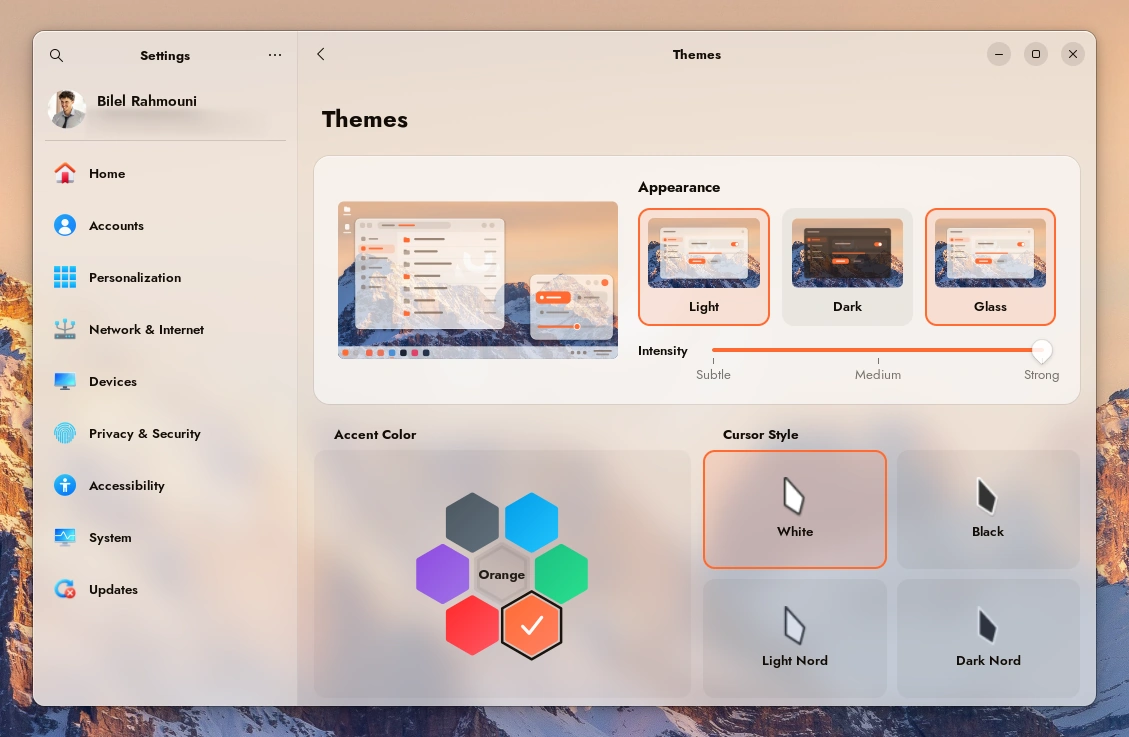
Themes holds the three. The accent colour applies across the whole desktop, and the cursor comes in four styles.
Wallpaper
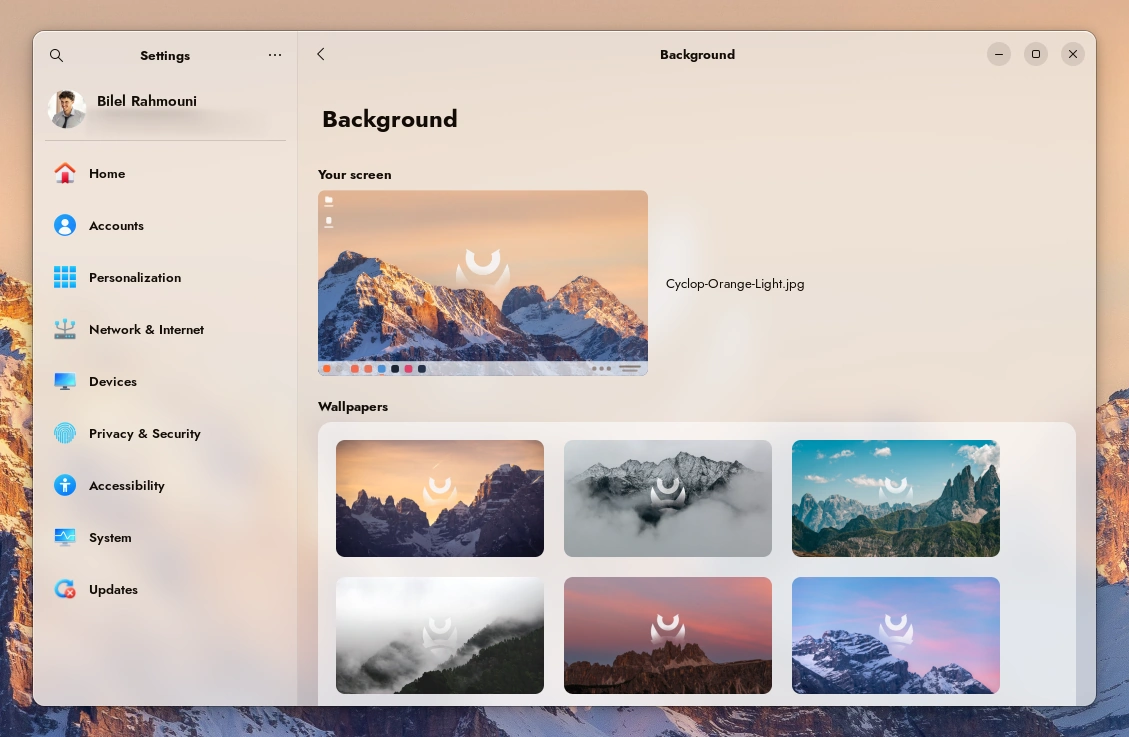
Background ships a set of Cyclop wallpapers, and Add Picture takes any image of your own.
What sits on the desktop
Desktop decides which icons appear: your home folder, the wastebasket, mounted drives, network machines.

Fonts and size
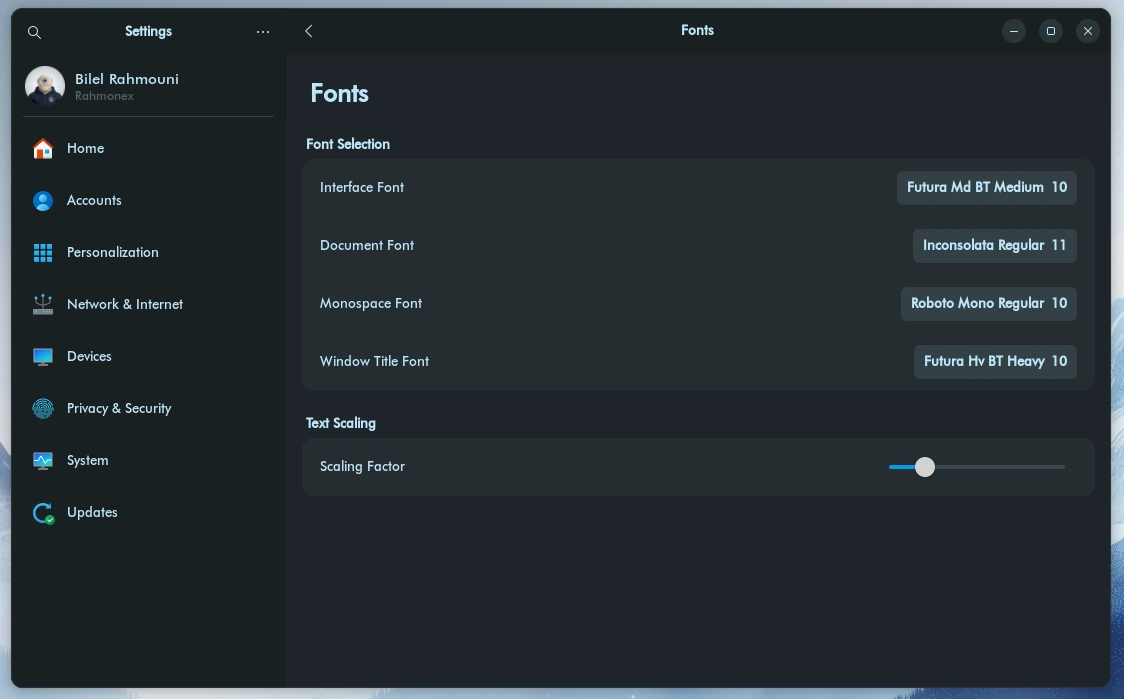
Four fonts are set separately: the interface, documents, monospace, and window titles. The scaling factor enlarges everything at once, which is what you want on a high resolution screen.
Animations and windows
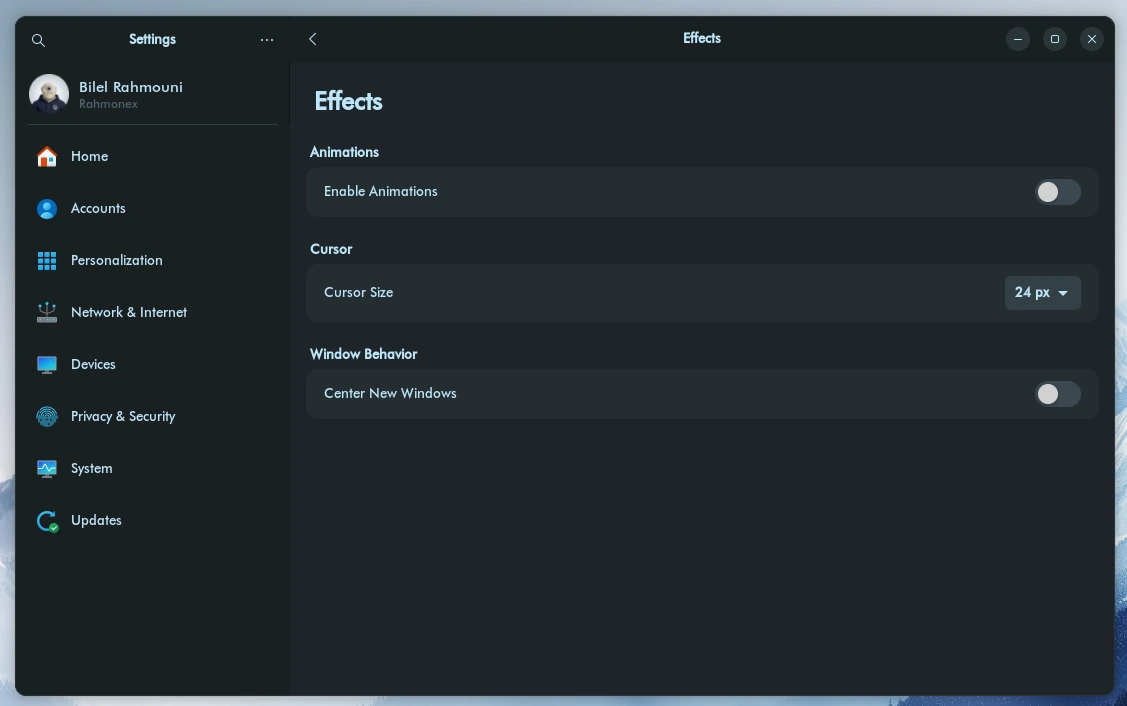
Effects turns animations on or off, sets the cursor size, and decides whether new windows open in the middle of the screen.
Turning animations off is the cheapest way to make an older machine feel faster. It is the first thing to try before anything else.
What the taskbar shows
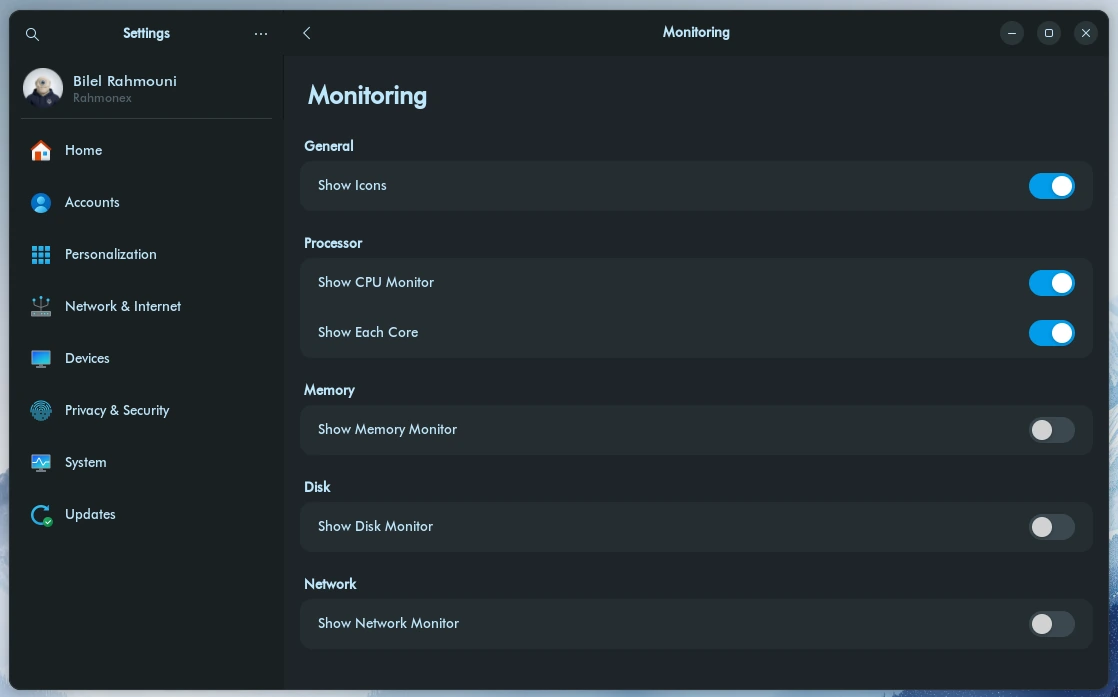
Monitoring chooses which indicators sit in the taskbar: processor, memory, disk, network, and whether each core is shown separately.