
Cyclop Office
Documents, sheets and slides.
A full office suite, already set up to open and save the file formats everyone else sends you. It comes with Education, Pro, Gaming and Enterprise.
Open it
Cyclop Office is in the menu. The first screen greets you, searches your documents, and offers the five kinds of file you can create: a document, a spreadsheet, a presentation, a drawing and a formula.
You can also go straight to one of them from the menu, without passing through this screen.
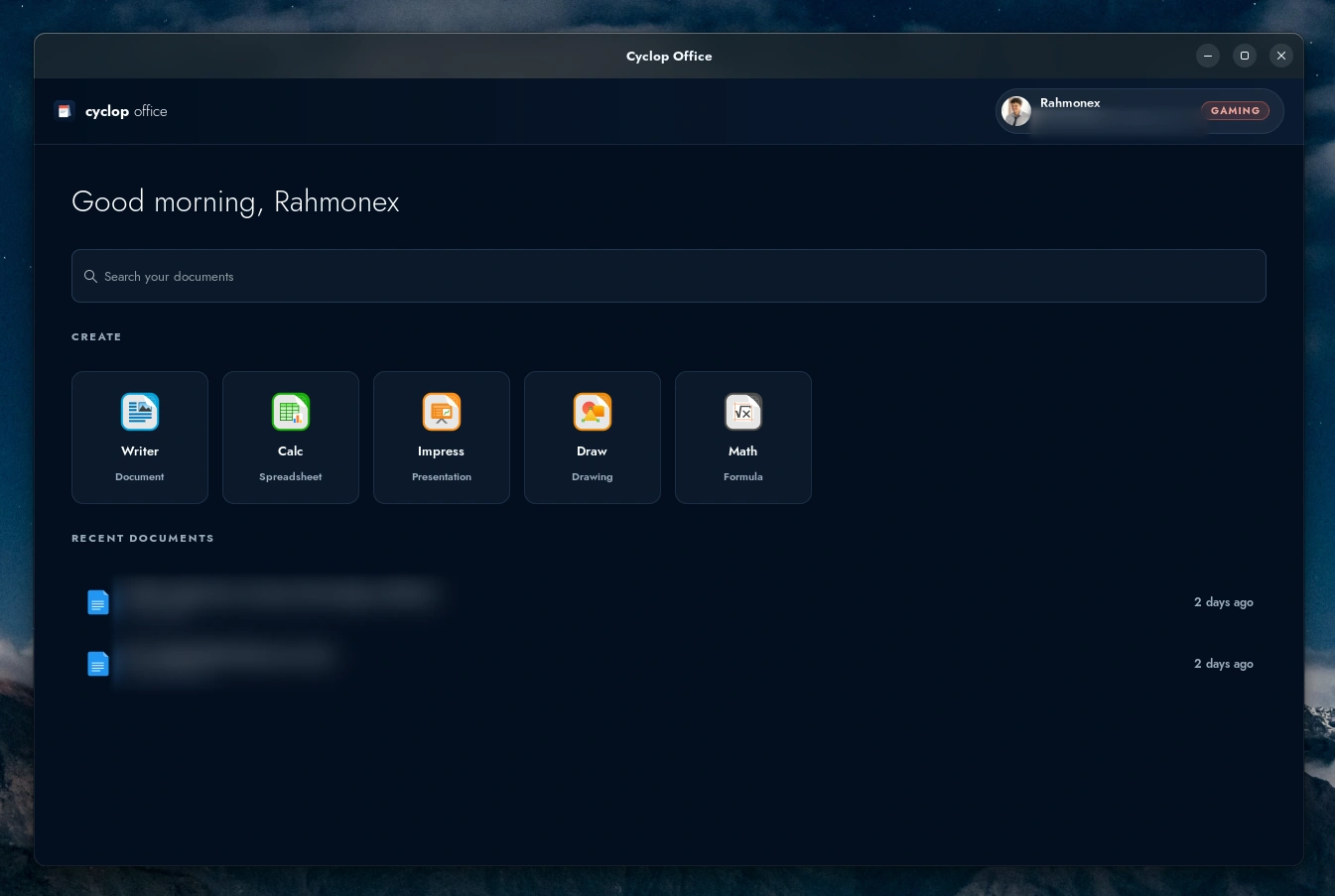
The home screen. The five tiles create a file; the search box finds one you already have.
It saves in the formats you are asked for
A document is saved as .docx, a spreadsheet as .xlsx, a presentation as .pptx. Not because those formats are better, but because they are the ones people send back, and a file nobody can open is not a document.
The dialog asking whether to keep the current format on every single save is gone. It asked a question whose answer never changed.
The open formats (.odt, .ods, .odp) are still there in the save dialog. Nothing stops you from making them your default again.
The ribbon, not the old toolbars
The commands sit in tabs across the top rather than in stacked toolbars, which is what nearly everyone has been using for fifteen years. Writer, Calc, Impress and Draw all open that way.
In spreadsheets, formulas use the A1 notation, the one you already type. A formula copied from a sheet someone sent you works without being rewritten.
It follows your accent colour
The ribbon is drawn by the desktop, so it takes the Cyclop accent you chose in Settings, Personalization. Change the accent and the suite changes with it, at the next launch.
There is no colour setting inside the suite itself, and there is nothing to fix if you find none: the setting is in the desktop, one level up.
What it does not do
It is not the suite it opens files from, and a document built with heavy macros or a very dense layout can come out shifted. Check anything you are going to print or send before you send it.
There is no web version and no real-time co-editing today. Documents live on your machine.
If a file will not open
- Open the suite first, then use File, Open, rather than double-clicking the file.
- If it is refused, try File, Open, and pick the format by hand in the list at the bottom of the dialog.
- For a file you cannot share with us, say what produced it and what the error says exactly, rather than describing it.
Cyclop Office comes with the paid editions. On a Community machine the suite is not in the repository, so it does not install.