
Family
Parental controls, set once.
Decide what a child account can open, when, and for how long. The computer applies the rules itself, so pulling the network cable lifts nothing.
First, a standard account for the child
An administrator cannot be placed under parental controls, because an administrator can lift their own rules. The website shows such an account and refuses it, rather than pretending.
- Settings, then Accounts, then Users
- Add a user, standard, not administrator
- Then Settings, Accounts, Family, and choose that account
What you can set
- Allowed applications: a list with icons, plus suggestions explained one by one
- Age rating: caps what can be installed
- Allowed hours: outside them the session will not open, and an open one is closed
- Minutes per day: warnings at 30, 10 and 5 minutes, then at the last one, then the screen locks without closing anything
- Time per application, which closes that application properly when its time runs out
- Blocked websites, by name, for this child only
- Categories: adult content, and sites known to be dangerous
- Safe search, which hides adult results in searches
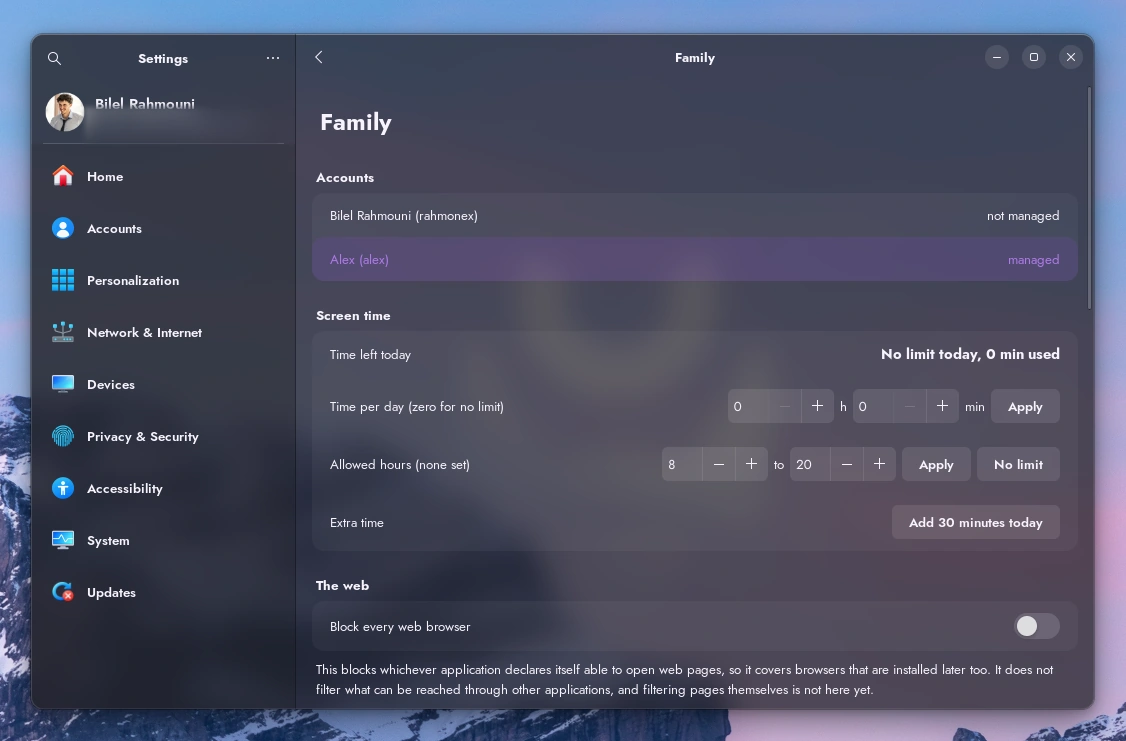
One managed account selected. Everything below the list applies to that account only.
From the website, when you are not in the room
Your account has a Parental controls page. It lists your machines, the accounts each one carries, and lets you change everything from there: the time left today with its bar, extra time right now, the daily allowance, the allowed hours, the age rating, the web categories, safe search, and both lists.
An account not yet managed appears with a button that puts it under control without anyone touching the machine.
The website applies nothing by itself. The machine fetches the policy every five minutes, keeps a copy, and applies it on its own. So a change made from the website takes up to five minutes, and only if the machine is switched on. It is also why cutting the network changes nothing: the machine already holds the rules.
Extra time, and stopping now
Thirty minutes more, an hour, or a number you type. Extra time is sent straight away and lasts until midnight.
It does not raise the daily allowance and it does not come back tomorrow. Thirty minutes given on a Tuesday evening are thirty minutes on Tuesday evening.
What the report says, and what it does not
Time per application and per day, over thirty days.
No content, no addresses visited, no keystrokes, no screenshots. The child can read what applies to them and change none of it, which is the point: rules you can see are rules you can argue with, and that is a better conversation than a machine that says no.
What this is not, said plainly
A blocked application still starts if it is launched from a terminal, or by a keyboard shortcut. The block hides it, it does not forbid it. If that matters, block the terminal too, and the page offers to.
Websites are blocked by name, not page by page. Over an encrypted connection the address of the page itself is encrypted, so nobody can filter one page of a site, us included.
A browser that resolves names by itself over an encrypted channel walks around the filter entirely. Cyclop turns that off in the browser it ships and refuses the resolvers it knows of, but an unknown one still gets through. It is a barrier, not a proof.
A child who starts another operating system from a USB stick is outside all of this. The answer to that one is a firmware password, set in the machine itself.
If it does not work
- Nothing changed on the machine: wait five minutes, and check that the machine is switched on.
- The account does not appear on the website: it is an administrator, or the machine has not checked in yet. It shows up within a few minutes.
- A site still opens: check that it is the browser Cyclop ships, and that its own encrypted resolver is off.