
Devices
Change machine, keep your licence.
A licence covers a number of machines at a time, not a number of installations. Freeing the one you no longer use takes a minute, and it can be done from either end.
Seats, not installations
Reinstalling the same computer does not eat a second seat. The machine is recognised by its hardware identity and takes back the seat it already had.
A different computer is a different seat. So is the same computer after its motherboard has been changed, because the identity is the board. There is no automatic transfer, deliberately: the machine declares those facts itself, so anything that acted on them could be driven by whoever cared to.
From the machine you are giving up
The paid repository and the credential are removed and the machine goes back to Community. The packages already installed stay until they are removed or replaced: nothing is deleted from under you at that moment.
- Settings, then Accounts, then Subscription
- Press Release this computer’s seat
This computer then waits a day before it can take a seat again. The wait exists so that one seat cannot be walked from machine to machine: giving a seat back and taking it again the same day has no honest use.
From your account, when the machine is gone
This is the way when the computer has been sold, lost, or will not start any more. It asks for your password because it acts on a machine that cannot speak for itself.
- Sign in on cyclop-tech.com and open License and devices
- Find the machine in the list
- Deactivate, and confirm with your password and your two-factor code
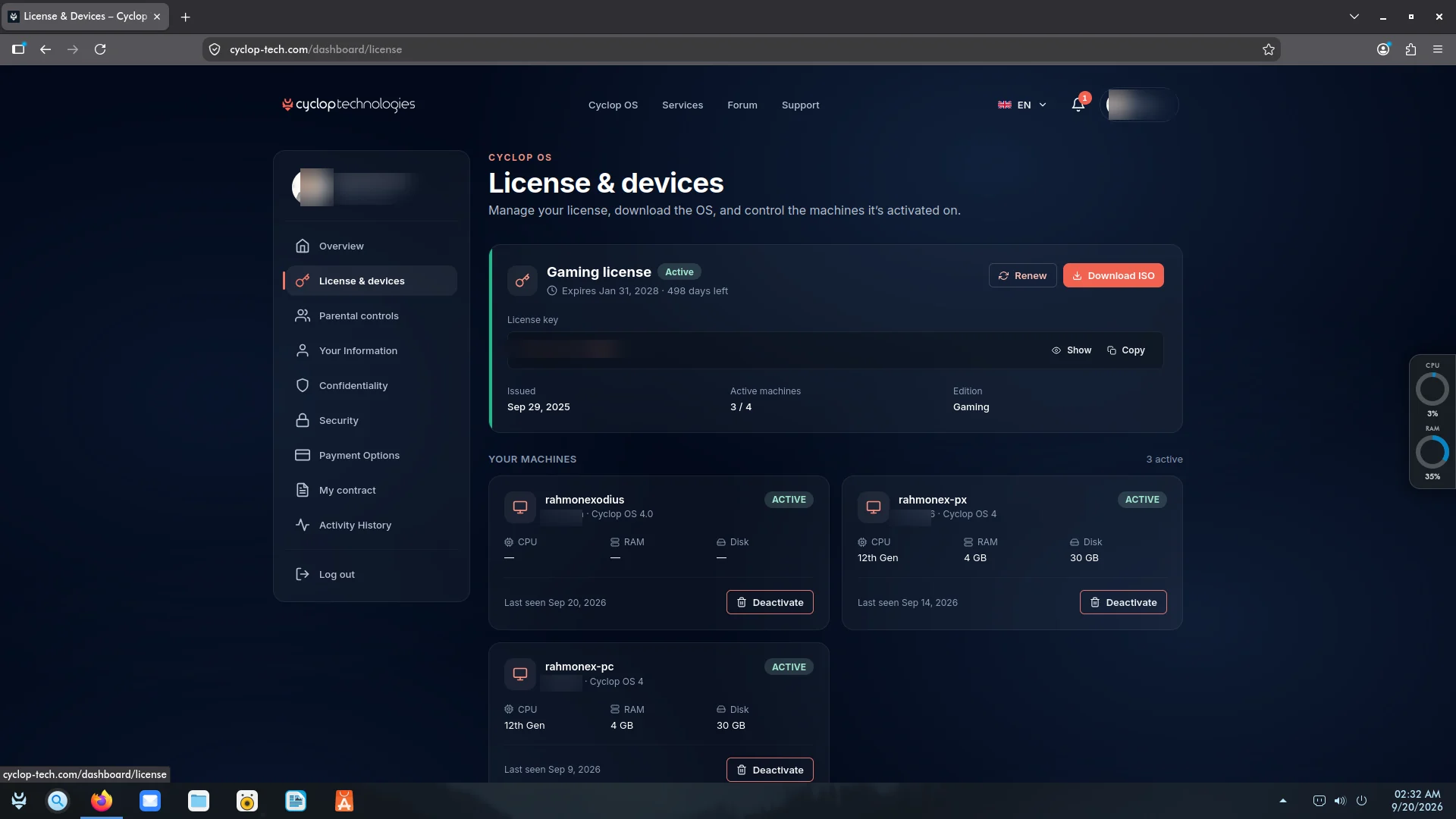
Three machines on four seats. Deactivate frees the seat; the machine keeps working until its licence check fails.
Which one to free
Each machine checks in about once a day. The list shows when each was last heard from, and points out any that has been silent for a long time: that is the one that has probably been replaced.
The date shown is the last time the machine spoke, not the day it was installed. A machine that checks in daily reads as recent, a dead one reads as old, which is the only way that column helps you choose.
What you should see
The machine leaves the list and the seat counter goes down by one. On the freed machine, Settings shows Community.
If it does not work
- The seat does not appear on the new machine straight away: the repository caches its answer for about ten minutes. Wait, then try again.
- A machine you cannot reach still holds its seat: free it from the website, not from the machine.
- You changed the motherboard: the machine arrives as one we have never seen and takes a second seat. Free the old row by hand.